Choose your destination and breaks.
Plan around the distance, timing, and needs of your group. Add restroom stops, meal breaks, or charging stops where the available data supports them.
Restroom stops for your road trip
Give the breaks a place in your plan. Compare stops, see the detours, and choose what works for the people coming with you.
Free for iPhone and iPad · iOS 26 or later
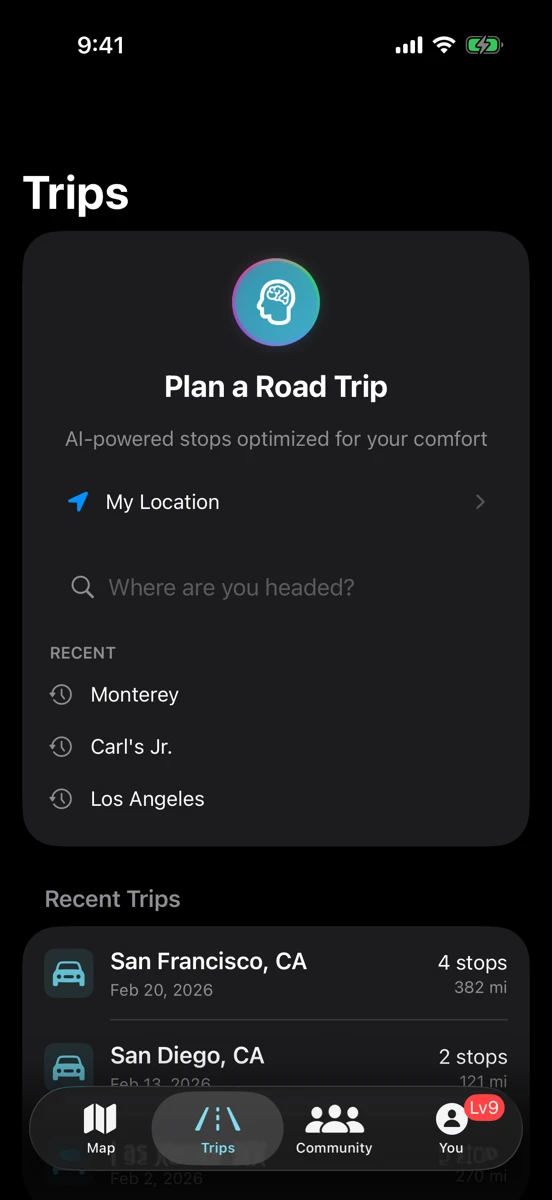
On iPhone and CarPlay
See your planned breaks on the car’s display. Scout Ahead can help you compare another stop and add it to the trip.
Meet RestMap for CarPlayPlan around the distance, timing, and needs of your group. Add restroom stops, meal breaks, or charging stops where the available data supports them.
Compare quality grades, route position, and the detour. Check the available amenity details before relying on a particular stop.
Plans change. Scout Ahead helps you compare other options along the drive, with the extra driving time visible before you choose.
Free route tool
Enter a start and destination to see highway rest areas and service plazas within three miles of your route. The app adds quality grades, more kinds of stops, and navigation.
Rest area locations © OpenStreetMap contributors (ODbL). Coverage varies by corridor. For quality grades and stops beyond rest areas, get RestMap free on the App Store.
For the longer drive
Premium adds multi-day planning, downloadable Trip Reports, Place Reports for the places you visit, and Offline Trip Packs. Prepare the details while you have a connection.
Saved information can age. Live traffic, new searches, and rerouting need a connection.
See what Premium addsPlan the trip in RestMap to see rest areas and restroom stops along your route, with the detour for each. While you drive, Scout Ahead lists the next options with the extra driving time, on iPhone and CarPlay. Before you set off, the free route tool on this page shows highway rest areas and service plazas.
It depends on the road and your direction of travel, and rest areas can close for the season or for repairs. RestMap shows how far ahead each stop is on your planned route and the detour to reach it, so you can choose the next break before you need it. Check current hours in the place details.
Use the free route tool on this page to see highway rest areas and service plazas. In the app, plan a trip to compare additional stop types, quality grades, and detours.
Yes. Rest areas come from open map data, and in 26 states RestMap also checks the transportation department’s own rest-area listing, which can add details such as closures, hours and family restrooms, credited to the department. Coverage varies by corridor, so check individual place details and current hours. See where RestMap’s data comes from.
Yes. Set your preferences in the app, then review the available details for each stop. See our guides for families, accessibility, and travel with pets.
No. You can use the nearby map, Find Best, or Quick Find without planning a route.
Start with free restroom finding and trip planning. Add Premium when you want more depth.
Get RestMap freeiOS 26 or later · Optional Premium purchases