RestMap 3.10 makes Quick Find clearer, recognizes the people who help, and rewards every rating.

AI Restroom Finder with Quality Scores for 2 Million+ Locations

Find a restroom that works for you. See what a place has, compare your options, and keep the next stop in your plan.

iPhone and iPad · No account required · No ads in the app

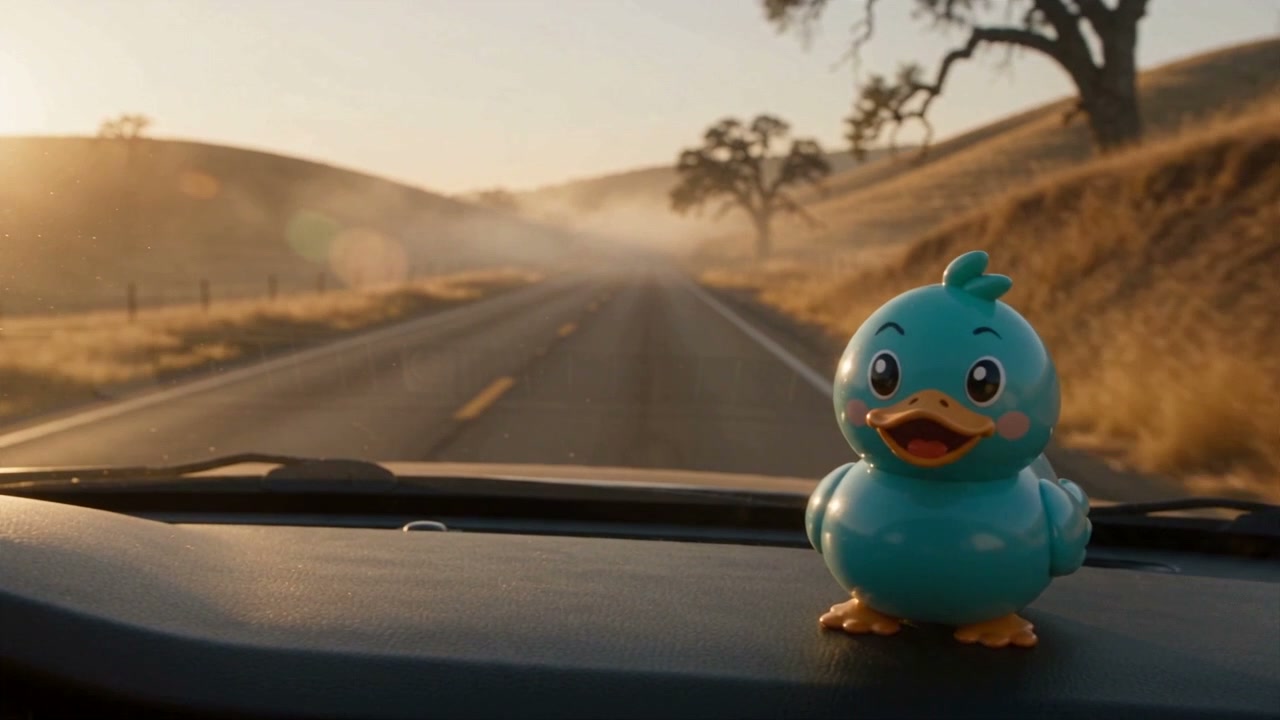
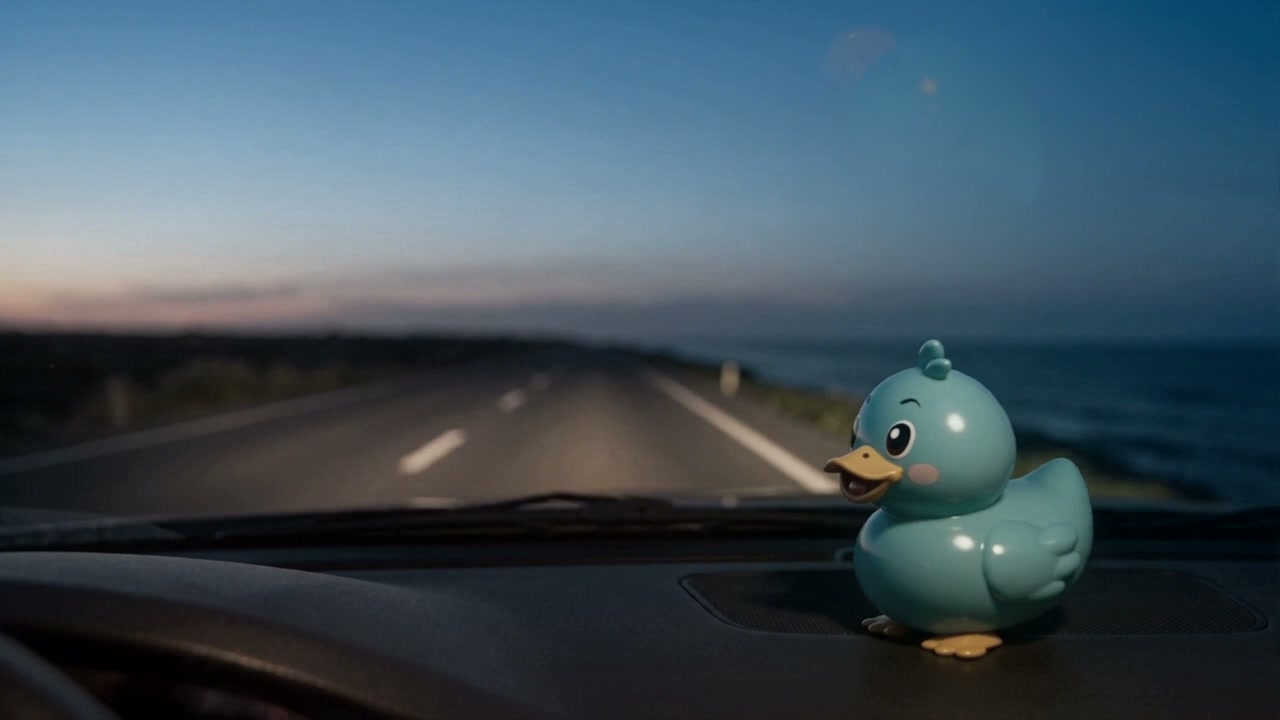
Waddles, RestMap’s duck mascot, riding on a car dashboard on an empty two-lane road through golden hills at sunset.
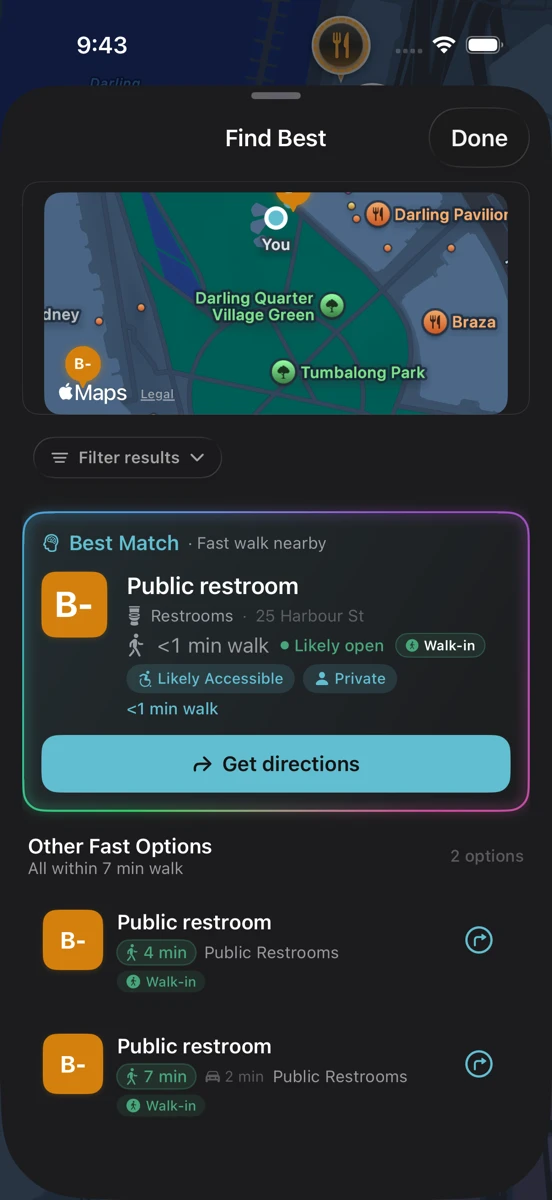
Find Best beside Sydney’s Tumbalong Park: a public restroom under a minute away on foot, with walk-in access and nearby alternatives.
A short walk to a public restroom in Sydney. The road is an illustration; the app screen is a native capture.

A little journey with Waddles

Your trip has
its own needs.

A quick break. A toddler in the back seat. The same trip can call for a different stop.

A little thought before the next stop.

A quick break takes the shorter route; a changing table calls for a small detour in this example. Different needs, different stops.

See travel needs in the app

Your little travel companion

An illustrative route, with example stops and amenities. Check current place details in the app before relying on a facility.

See the place page in the app

What a place has,
at a glance.

Open a place and every restroom facility is a tile with a short answer. Tap a tile for the details, the source and its date, and what to do next. Explore these examples from the app.

With kids · Place page

A changing table before the train.

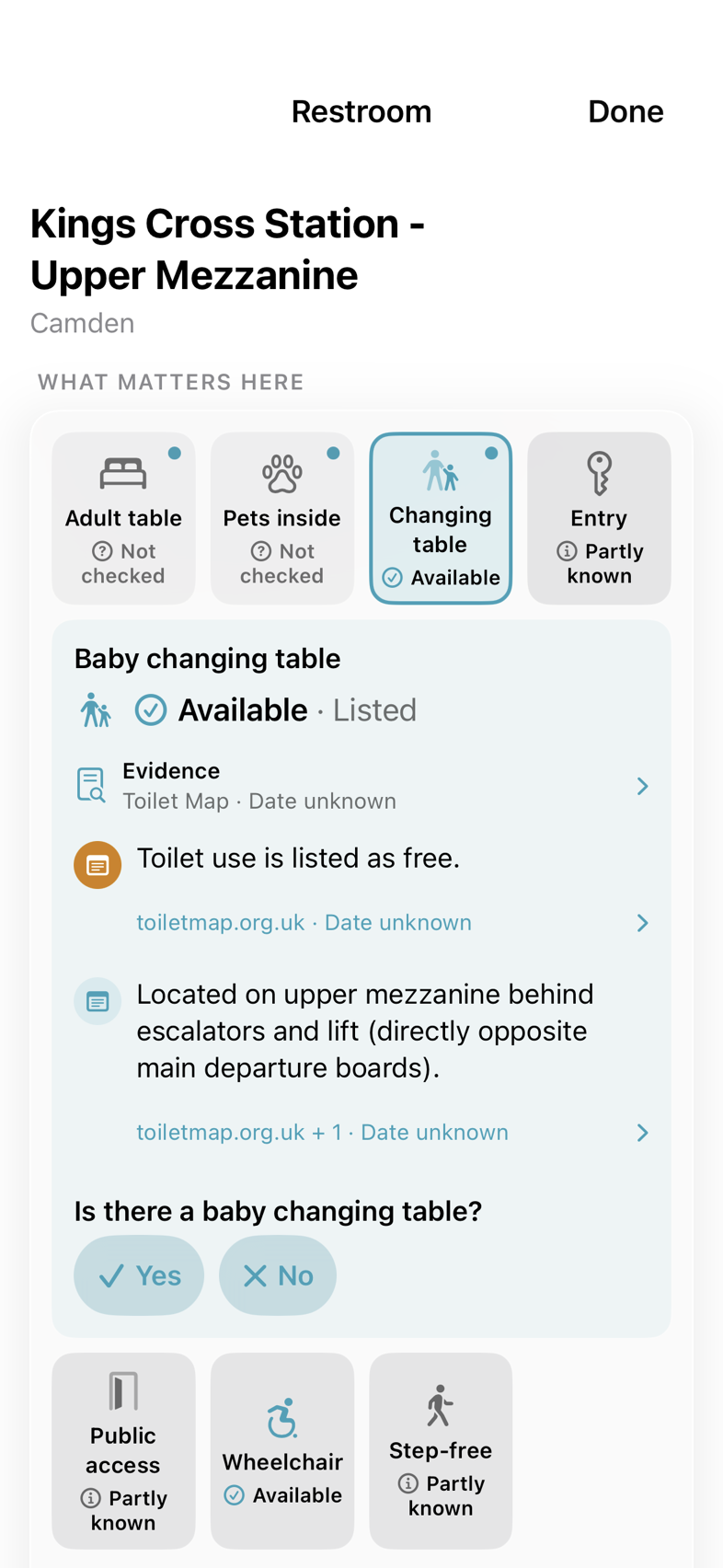
You’re at King’s Cross with a baby and a train to catch. A useful answer includes where the facility is, as well as whether a changing table is listed.

  1. Find the tileChanging table: Available, from a listing.
  2. Get the practical detailsThe card points to the upper mezzanine, behind the escalators and lift.
  3. Know what to checkThe listing is undated and its source is named. If you’ve been there, a tap records what you found.

Use welcome credits, earn more by sharing what you find, or choose Premium for 25 Inspects a month. See how credits work.

Open a place in RestMap
RestMap place page for Kings Cross Station: the facility board with the changing table tile opened into a card showing a listed baby changing table, its upper-mezzanine location and the toiletmap.org.uk source.
King’s Cross, London. Native app screen excerpt. View full screen

With a pet · Place page

Pet-friendly can mean a lot of things.

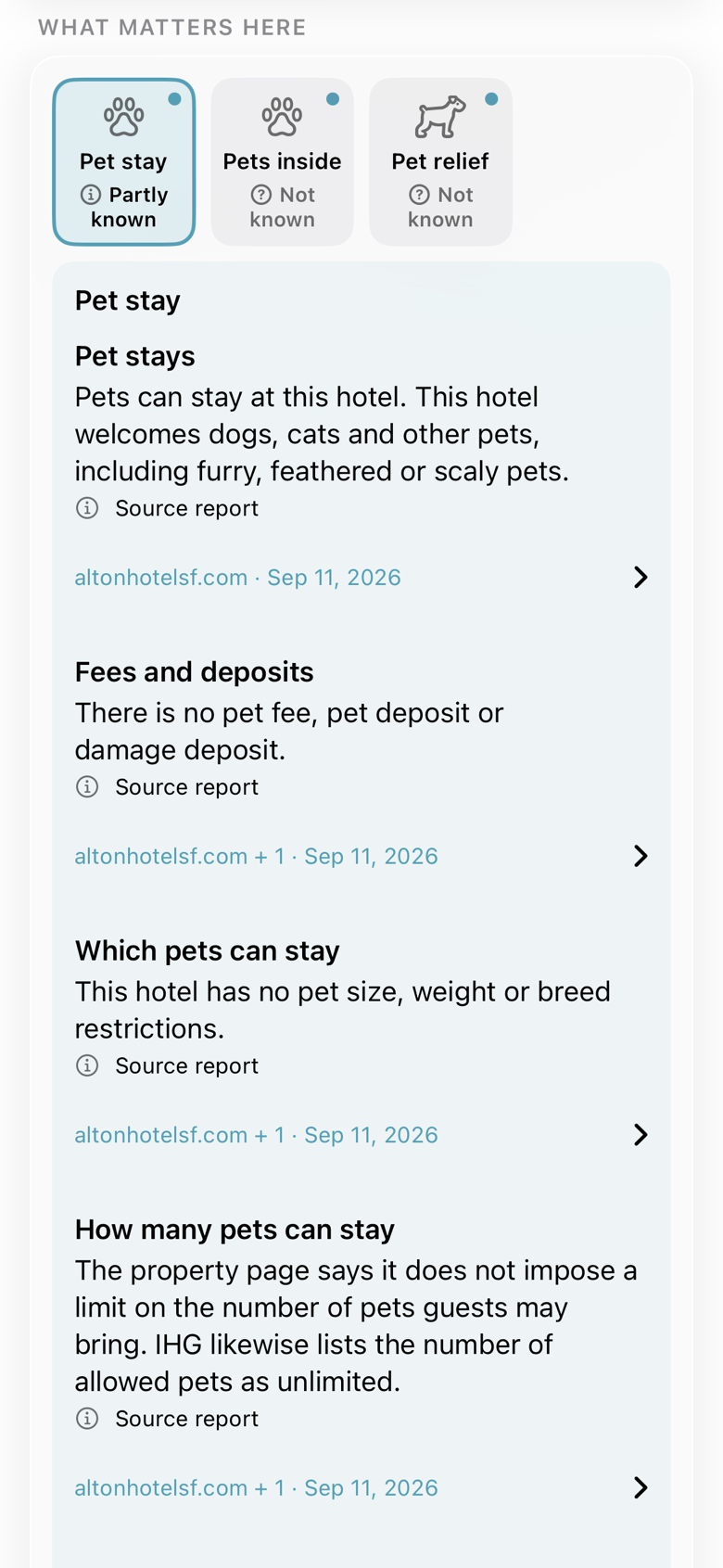
Before booking a night in San Francisco, check the details that affect the stay: pet fees, size limits and where pets can go.

  1. Start from the tilePet stay leads the board when you travel with a pet.
  2. Read beyond the labelThe Alton card separates pet stays, fees and deposits, which pets can stay and how many.
  3. Open the sourceSource names and dates stay beside each finding, ready for a closer look.

Use welcome credits, earn more by sharing what you find, or choose Premium for 25 Inspects a month. See how credits work.

Open a place in RestMap
RestMap place page for the Kimpton Alton Hotel: the Pet stay tile opened into a card that separates pet stays, fees and deposits, which pets can stay and how many, each with its source and date.
Kimpton Alton Hotel, San Francisco. Native app screen excerpt. View full screen

With care needs · Place page

Check the equipment, not just the label.

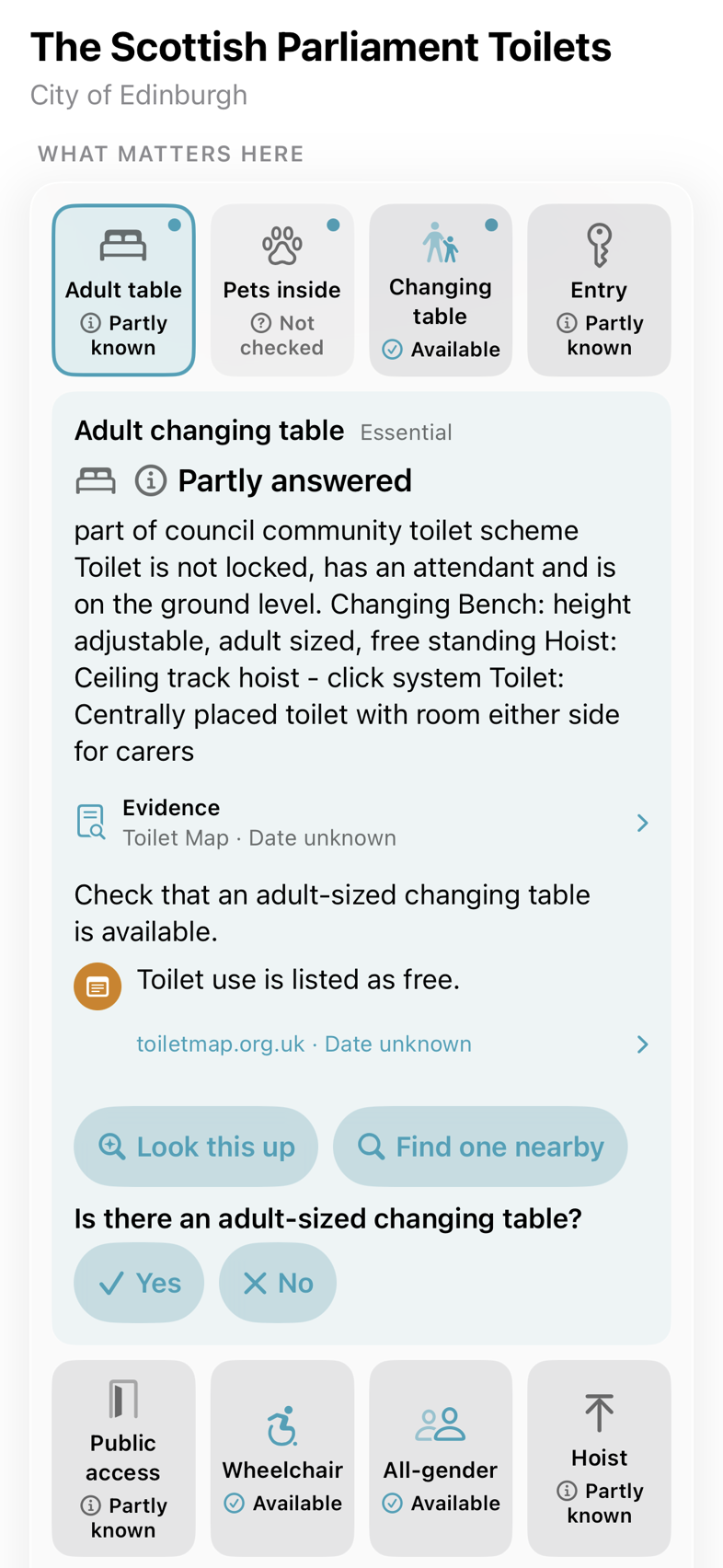
For a day in Edinburgh with someone you care for, an accessible-restroom label may leave an important question unanswered.

  1. See what’s knownAdult table: Partly known. The card explains why.
  2. Read the equipment detailsThis listing describes a height-adjustable bench, a ceiling-track hoist and room for carers.
  3. Choose the next stepLook it up with Inspector, find one nearby, or report what you found on your visit.

Use welcome credits, earn more by sharing what you find, or choose Premium for 25 Inspects a month. See how credits work.

Open a place in RestMap
RestMap place page for the Scottish Parliament toilets: the adult changing table card describing a height-adjustable bench, a ceiling-track hoist and room for carers, with Look this up and Find one nearby and a yes or no question to confirm the table.
Scottish Parliament, Edinburgh. Native app screen excerpt. View full screen

App examples from September 2026. Details can change. Open the source or check with the venue before relying on a particular facility.

Place Reports · RestMap Premium

A guide to
the whole visit.

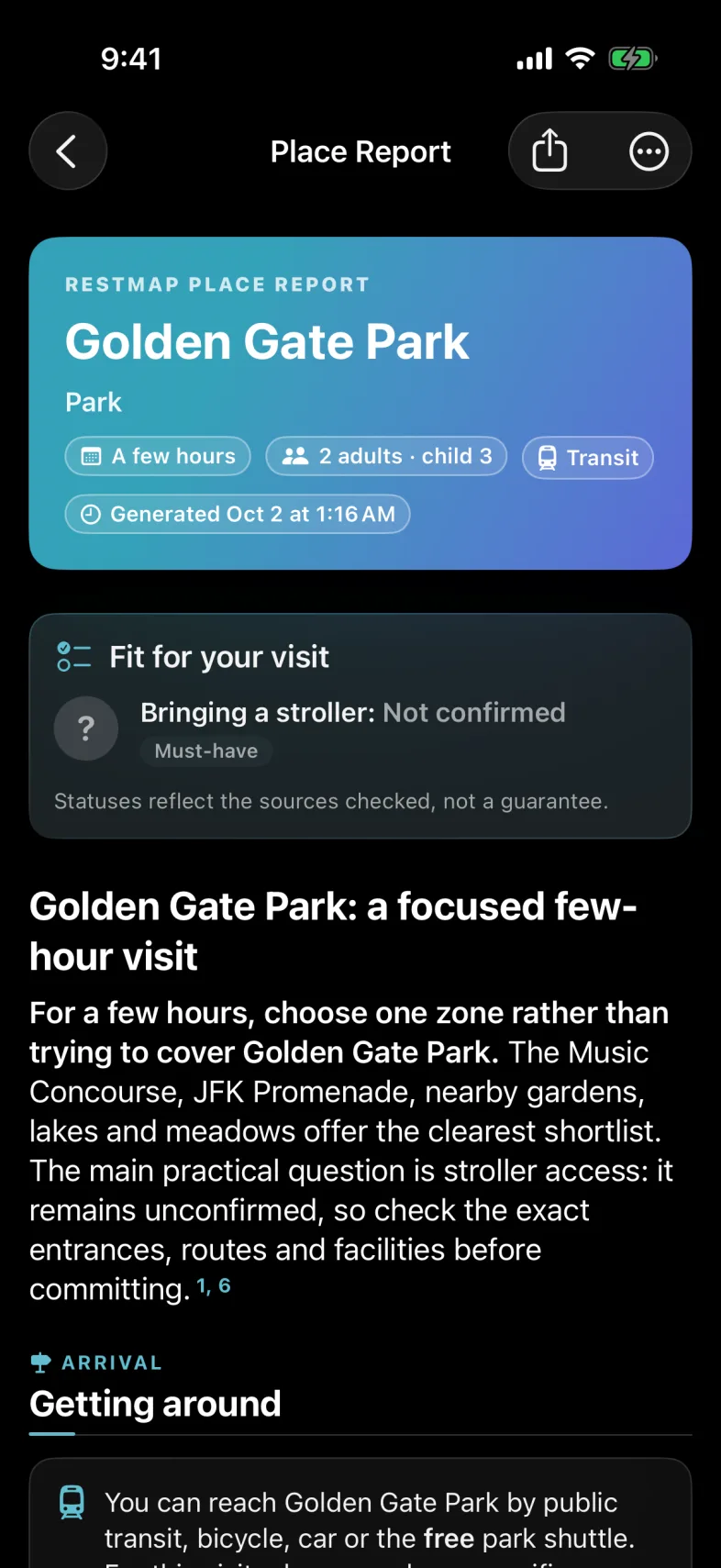
A park, a museum or a town you don’t know yet. Tell RestMap who’s coming and what you need, and get a personal guide to the visit.

  1. Start from a place or a townReview your dates, group, travel and needs, or make a general guide.
  2. Read a plan for your groupWhat’s worth doing, getting around, hours and tickets, food for your diet, step-free and stroller access, your restroom needs and events for your dates.
  3. Know what to confirmSourced facts show their sources. Here, stroller access is not confirmed, so the report says to check entrances and routes first.

Part of RestMap Premium. Place Reports and Trip Reports share a monthly allowance, shown in the app before you create one.

See what a Place Report covers
RestMap Place Report for Golden Gate Park: a few hours, 2 adults and a child of 3, by transit. Fit for your visit lists Bringing a stroller as Not confirmed, a must-have, above a summary that suggests choosing one zone of the park and checking stroller access first, then Getting around.
Golden Gate Park, San Francisco. Native app screen, October 2026. View full screen

Navigation on iPhone and CarPlay

The next stop.
Part of the journey.

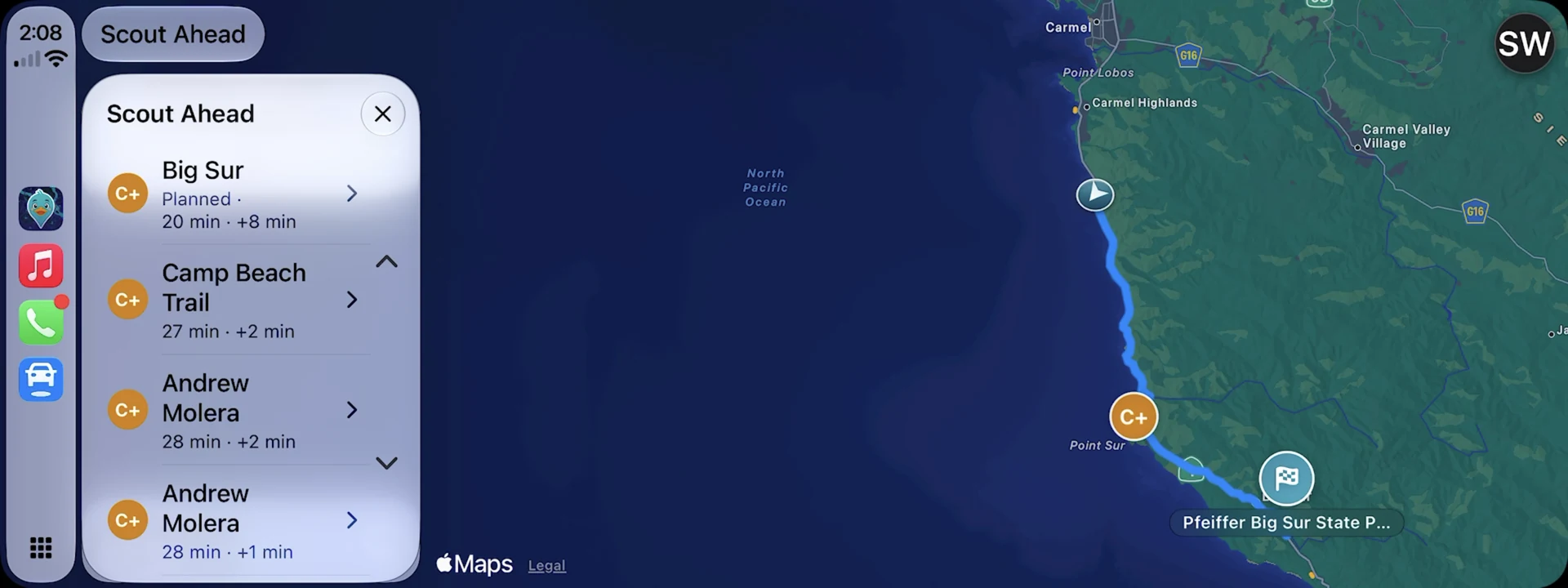
Follow your route, look ahead for a useful break, and keep your destination in the plan. Complex junctions can show a simple sketch on your phone and in the car. On the car display, stop lists name what could rule a stop out, such as “Customers only”, and the route overview shows every stop.

Meet RestMap for CarPlay

Requires a compatible CarPlay vehicle or receiver.

Waddles riding on a car dashboard at dusk on an empty coastal road, the last light on the horizon.RestMap on a wide CarPlay display in dark mode: the route along Highway 1 from Carmel toward Pfeiffer Big Sur State Park, with Scout Ahead listing the next stops at Big Sur, Camp Beach Trail and Andrew Molera.
The next breaks along Highway 1, one tap away with Scout Ahead. The drive is an illustration; the display is a native capture. Select it for a closer look.

For the stop you need

Nearby, along the way,
or planned before you leave.

01

Need a restroom now?

See nearby options with quality grades, distance, and the available restroom details. Use Quick Find when you want to get straight to a suggestion.

What goes into a recommendation
02

Make the stop work for everyone.

A changing table, room for a caregiver, a wheelchair-accessible entrance. Find the information that matters to your trip, with sources where available.

03

Give the breaks a place in your plan.

Choose stops along your route and see the detour before you decide. Scout Ahead helps you compare more options as the trip unfolds.

Plan a road trip

Useful information. Honest limits.

A score helps you choose.
Your visit helps the next person.

RestMap brings together six data sources to score more than two million locations, and checks official listings from more than 900 public agencies, from national parks to city parks departments. A grade is an estimate, and conditions can change.

Check the available details before relying on a particular amenity. After a stop, you can leave a rating or report a correction in the app.

See where the information comes from
Waddles, RestMap’s duck mascot, ready for a road trip.

A family project, built for the journey

We’ve needed that next stop, too.

RestMap was started by a father and son after years of family road trips. The question was simple: which stop would we actually want to take?

Our story

A few things you might wonder

Is RestMap free?

Yes. Restroom finding, quality scores, and medical, accessibility, and family data stay free. Optional Premium features add more trip planning and research.

Can I use CarPlay today?

Yes. Use RestMap on an iPhone with iOS 26 or later, then connect to a compatible CarPlay vehicle or receiver. Explore CarPlay.

Where does it work?

RestMap has the deepest coverage in the US, Canada, UK, Ireland, Australia, New Zealand, Switzerland, and France. Coverage and amenity details vary by location.

What happens without a signal?

Previously loaded locations can remain available. Premium Offline Trip Packs save more of your plan before you leave. New searches, live traffic, and rerouting need a connection.

Make the next stop a little easier.

Download RestMap for iPhone and iPad. Finding restrooms is free.

Get RestMap free

iOS 26 or later · Optional Premium purchases

A better day out.

Find a restroom, check the details, and get back to your day.

Get RestMap free

1:15 · Sound optional

Video description

The film shows RestMap on iPhone and CarPlay, with cinematic scenes featuring Waddles, RestMap’s teal duck. Music plays throughout, with no narration.

A better day out. Find restrooms. Enjoy the journey. A coastal highway winds along the cliffs in golden evening light.

Find a restroom. Without the hunt. See a nearby option and get walking or driving directions. Quick Find suggests Go Get Em Tiger, a cafe about a minute’s walk away, with an estimated RestRoom IQ of B and a reminder to check restroom entry requirements.

Know more. Guess less. See estimated quality, entry details and what is still unknown. The place page for Peet’s Coffee shows an estimated RestRoom IQ of A- with mixed signals, notes that the restroom is for customers and that its hours aren’t listed separately, and shows a private room as available and a changing table and all-gender restroom as not available. These details come from OpenStreetMap and RestMap and are not verified in person.

Some passengers have strong opinions. A golden retriever leans out of a car window next to Waddles.

Make room for everyone. Tell RestMap who’s coming and which facilities you need. The Who’s traveling? screen offers choices such as family with kids, traveling with a pet, all-gender restrooms and step-free access.

A little planning before you go. Waddles sits beside a paper road map in warm evening light.

Plan the visit. Enjoy being there. A Golden Gate Park report gives practical tips for a family visit and flags stroller access as unconfirmed. Place Reports are included with RestMap Premium.

On to the next stop. Follow your route with turn-by-turn directions. Navigation on iPhone shows a right turn onto N Ardmore Ave, the arrival time and a Find restrooms button.

Directions on your dashboard. See your route, next turn and arrival time. On CarPlay, RestMap shows a right turn in 0.2 miles and an 8:33 arrival.

Back to your day. Waddles looks out over a coastal picnic spot.

Good days. Better stops. Find restrooms with RestMap. Download for iPhone. restmap.io. Waddles turns toward the viewer and smiles.

Music: “Serene View” by Arulo, from Mixkit.