Know the plan before you go.
Use Home, a RestMap voice shortcut or a typed address to plan the journey. Review the breaks on the route overview, then let the start countdown get you going.
CarPlay · Updated in RestMap 3.9
Follow the road ahead, find a useful break, and keep your destination in the plan. RestMap brings the whole trip to your car’s display.
For iPhone with iOS 26 or later and a compatible CarPlay vehicle or receiver.
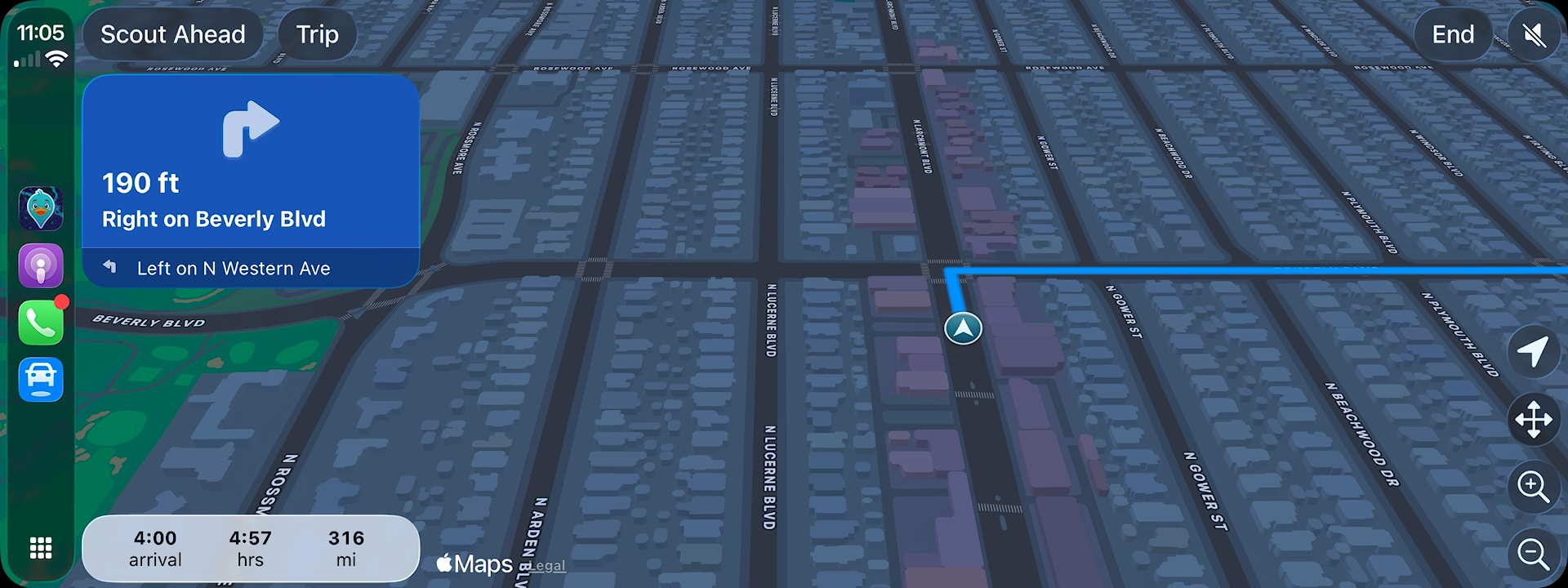
From the first turn to the next break
Use Home, a RestMap voice shortcut or a typed address to plan the journey. Review the breaks on the route overview, then let the start countdown get you going.
Scout Ahead compares stop options along your route. See quality grades, the extra driving time and anything that could rule a stop out, such as “Customers only”, before choosing a place.
Add a stop to the active trip. RestMap updates the route and arrival estimate so the break fits into the rest of your drive.
Before you leave
Review the stops together before setting off. Keep the ones that suit the day and skip the ones you no longer need.
Whether it’s a family visit or a longer road trip, the plan should make the drive easier.
Explore trip planning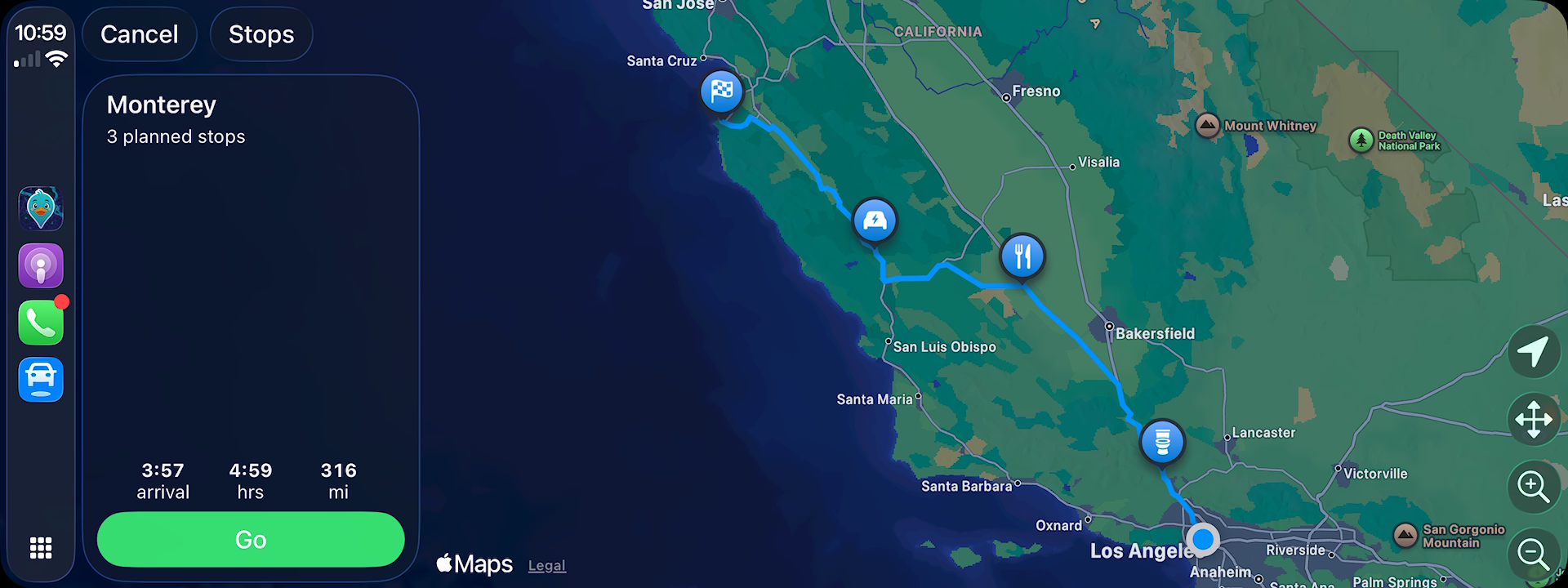
On your phone, too
Follow the route ahead with a calmer camera and clearer maneuver arrows. Complex junctions can show a simple sketch on your phone and in the car. Browse the map when you need context, then return to your route.
Someone waiting at the other end? Share a live ETA link from the app, including planned breaks. They can open it in a browser, even without RestMap.
You choose when to share and when to stop. Sharing links expire automatically.
Bring RestMap on your next trip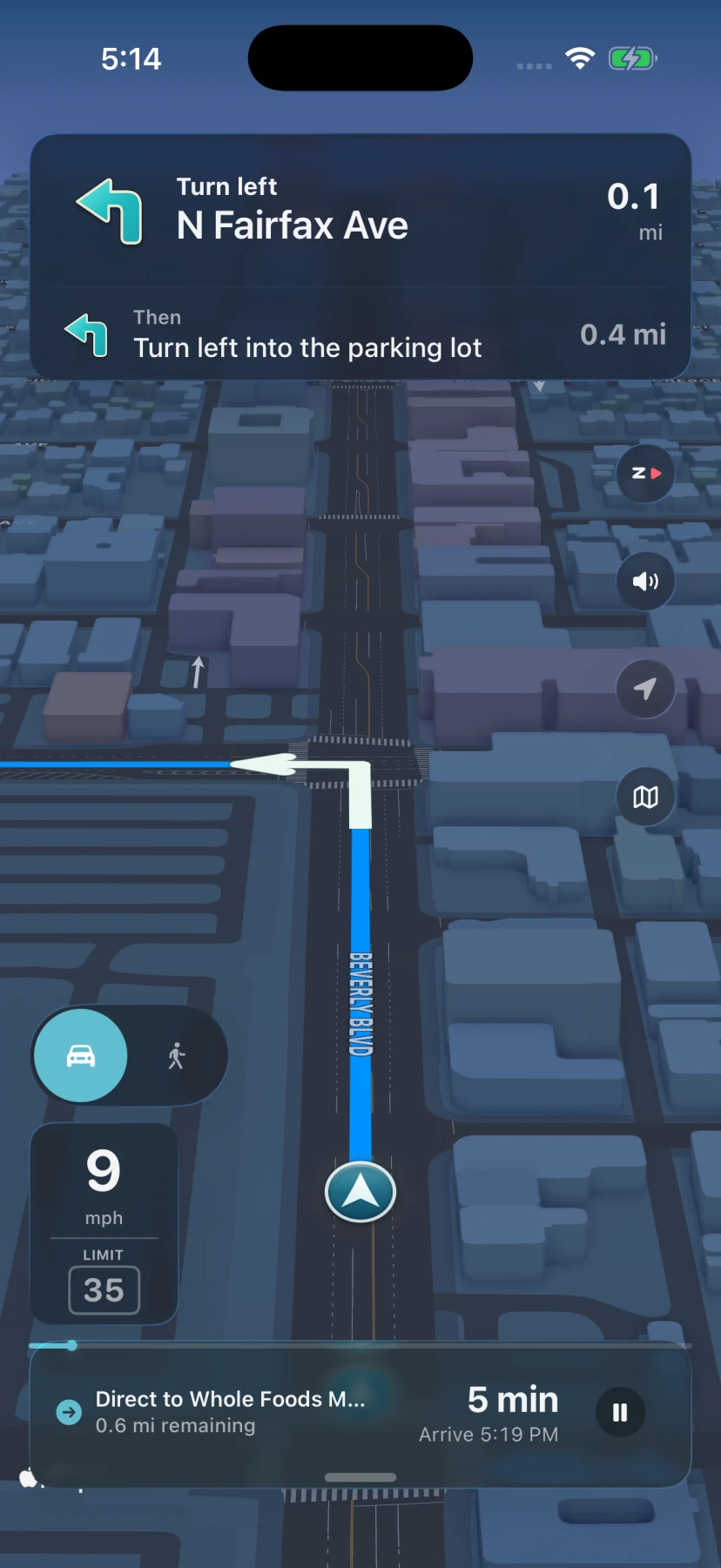
An iPhone running iOS 26 or later, RestMap 3.5 or later, and a compatible CarPlay vehicle or receiver. Connect your iPhone using your vehicle’s CarPlay setup, then open RestMap on the car’s display.
Open RestMap on your iPhone and allow location access. Choose your preferences, save Home if you want it handy, and review the route while parked. You do not need to create an account.
Yes. Scout Ahead lets you compare options, preview a stop, and add it to your active trip.
Screen layouts and available controls vary by vehicle. The screenshots show the main CarPlay display. Dashboard and instrument-cluster layouts depend on your vehicle.
CarPlay navigation and restroom finding are included in the free app. Premium adds Trip Reports, Place Reports, Offline Trip Packs, and more trip preparation tools.
Find nearby restrooms, plan the breaks, and follow your route on CarPlay.
Get RestMap freeiOS 26 or later · Optional Premium purchases